
Kpop Demon : Piano Game
Hizari CreateMusic
3.93.00 Reviews
- Version
- 1.0.7
- Installs
- 100.00K
- Age Rating
- Everyone
Screenshots
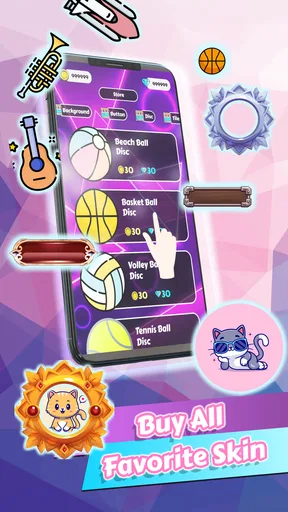
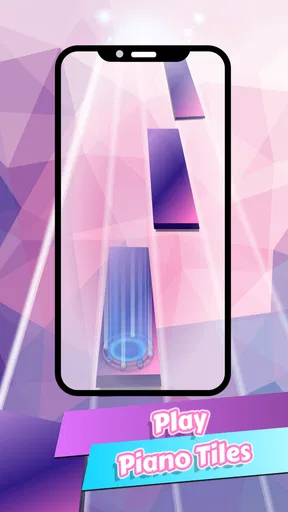
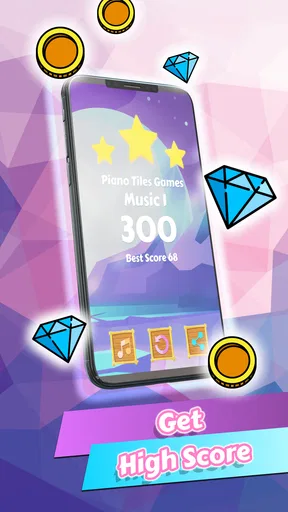
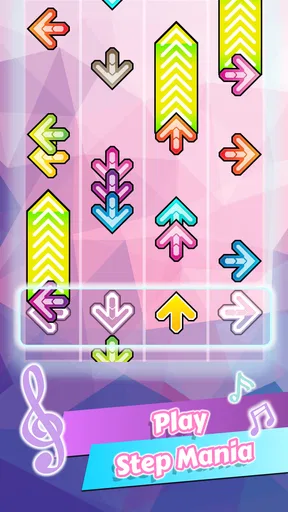
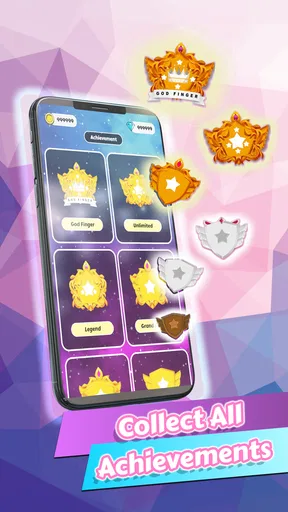

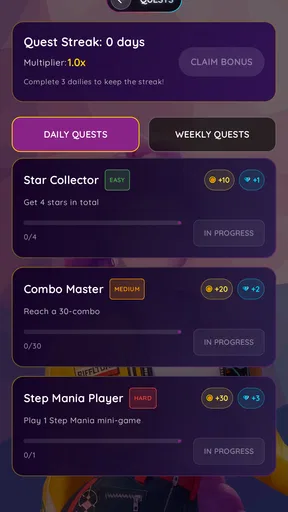
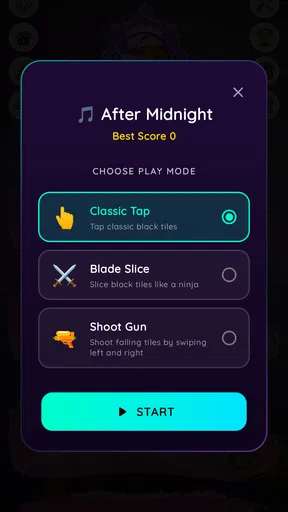
Our Review of Kpop Demon : Piano Game
 Analysis by Appyee
I approached Kpop Demon : Piano Game as a quick music game rather than a full rhythm-training tool, and that distinction matters. It is built around the appeal of tapping along to a familiar K-pop-inspired theme, with a simple presentation that makes it easy to start playing without learning a complicated ruleset. My first impression was that the game aims for immediate entertainment: open it, understand the basic interaction, and begin a short session.
That simplicity is its strongest quality, but it also creates the main question for potential players: are you looking for a lightweight time-killer or a deep piano game with detailed progression? I would recommend this title to someone who wants casual musical play, especially during short breaks. I would be more cautious about recommending it to players who expect a large song library, advanced rhythm controls, or the depth of a dedicated music-training app.
Getting started without unnecessary friction
The game comes from Hizari Create and is free to play. It is listed for Everyone, so it is a reasonable choice for families and younger players who want an uncomplicated music-themed game. The minimum operating system is Android 7.0, which makes compatibility fairly broad for older Android phones and tablets.
In practice, the first useful check is not the game itself but the device. Before blaming the app for a poor start, I would close other demanding applications, make sure the phone has enough free storage for normal operation, and confirm that the device is running a supported Android version. These are simple steps, but they prevent a surprising number of false alarms when a game opens slowly, responds late, or returns to the home screen.
The current version is 1.0.7, so I would also check that the installed copy is current before judging the experience. A version mismatch can make troubleshooting confusing, particularly when a player follows advice intended for a newer build. Updating through the normal app store route is the safest first step, followed by a complete restart of the phone if the game still behaves oddly.
One useful habit is to test the game once with the phone held in the position you normally use for play. A rhythm game can feel completely different when played one-handed during a commute compared with being held steadily with both hands at home. If taps seem inconsistent, I would first improve grip and remove anything that makes the screen difficult to touch before assuming the timing system is defective.
Where a short session can go wrong
The most common point of friction in a simple piano game is the gap between what the player expects and what the game actually asks them to do. Someone coming from a full rhythm title may expect complex lanes, adjustable timing windows, song selection, or detailed performance feedback. This game presents itself more as accessible entertainment, so the experience may feel limited if you approach it with those expectations.
Another possible stumbling block is touch accuracy. A screen protector, damp fingers, a thick case edge, or a phone that is already struggling with background activity can make rapid taps feel unreliable. My practical response would be to clean the display, remove the case temporarily, and try a calm test session rather than immediately reinstalling the game.
Short games also expose interruptions more sharply than long ones. If a notification, incoming call, or gesture navigation action pulls attention away at the wrong moment, the player may interpret the resulting mistake as a gameplay problem. For a better session, I would use a quiet environment and enable the phone’s normal focus or do-not-disturb tools when appropriate.
The important distinction is between a missed tap and a broken game. A few failed notes can come from hand position, screen sensitivity, or distraction. If the same issue happens repeatedly in the same part of a session, then it becomes more useful to test the device and restart the app methodically.
Simple setup checks that save time
I would begin with a clean launch: close the game completely, reopen it, and allow the opening screen to settle before tapping quickly. On an older phone, rushing through the first screen can make the interface feel less responsive than it really is. Waiting a moment is not exciting, but it gives the device time to finish loading whatever it needs.
Sound deserves its own check. If the game appears silent, I would verify the phone’s media volume rather than only the ringtone volume, then check whether headphones or a connected speaker are taking over audio output. Bluetooth can also create a delay that is easy to mistake for poor in-game timing. For rhythm play, wired or built-in speakers may feel more immediate than a wireless connection.
Screen brightness and battery-saving settings can affect comfort even when they do not directly change the game. A very dim screen makes moving notes harder to follow, while aggressive power saving may make an older device feel sluggish. I would use a moderate brightness level and avoid playing while the phone is overheating or charging under heavy load.
Because the game is designed for quick access, I would not overcomplicate setup with unnecessary tools. A stable phone, a clear screen, audible media volume, and a comfortable grip are more valuable than downloading extra utilities. If the game does not respond after those checks, then a restart is a sensible next move.
Recovering a session when something behaves badly
My recovery process would be gradual. First, leave the current screen normally if possible and reopen the game. If that fails, force-close it through the phone’s standard app controls and launch it again. This clears a temporary stuck state without immediately risking local settings or progress.
If the problem continues, restarting the device is the next low-risk step. Phones can carry over memory pressure or audio-routing issues between applications, and a full reboot is often more effective than repeatedly tapping the same screen. I would then test one brief session before changing anything else, so I could tell whether the restart actually helped.
Clearing temporary cache can be useful when an app repeatedly loads incorrectly, but I would treat it as a later step rather than a reflex. Clearing storage is more serious because it may remove local preferences or progress, depending on how the game handles saved information. I would only consider that after trying a restart and after accepting that local data might not return.
Reinstallation should also be a last resort, not the first response to one crash. Before removing the game, I would make sure I remember any relevant device settings and understand that uninstalling can affect locally stored progress. A clean reinstall may solve damaged installation files, but it cannot fix a phone that is running out of space, overheating, or experiencing broader touch problems.
If the game works after a reinstall but later becomes unstable again, that suggests the cause may be outside the installation itself. In that situation, I would look at available storage, system updates, background apps, and the phone’s general performance rather than repeating the same reinstall cycle.
When the app may not be the cause
It is easy to blame a music game because every mistake is visible during play. Yet the phone’s touch layer can be responsible. I would test another simple app that requires tapping in different areas of the screen. If touches fail there too, the problem is probably broader than this particular game.
Audio delay requires a similar comparison. Try the built-in speaker, then headphones, and notice whether the response changes. If only a wireless accessory introduces a noticeable lag, the game may be functioning normally while the audio path is adding delay. That is especially relevant for players who judge timing by sound rather than by the visual movement alone.
Network conditions can also confuse troubleshooting, although the game’s offline mode is an important part of its appeal. If a player is trying to start a session in a place with weak connectivity, testing offline can help separate connection-related loading trouble from a genuine application issue. I appreciate this option because it makes the game more practical for travel, waiting rooms, or areas where mobile data is unreliable.
Battery condition is another overlooked factor. A phone that reduces performance when its battery is low may make taps feel less immediate, while heat can cause temporary slowdowns. I would let the device cool, close unnecessary apps, and try again before deciding that the game is unplayable.
Finally, expectations can create a false sense of failure. If you want a structured piano lesson, sheet-music reading, or precise skill measurement, this is not the right tool to evaluate yourself. Its value is casual musical interaction, not replacing a teacher, a keyboard, or a specialized practice application.
How it fits into everyday use
A realistic use case is a ten-minute break between tasks. I could open the game without preparing a long playlist or committing to a lengthy campaign, play a few rounds, and close it when the break ends. The offline capability is particularly convenient here because the session does not depend on finding a strong signal.
It also suits a shared-device situation where different people want something understandable immediately. The Everyone rating and uncomplicated premise lower the barrier for younger players, while the free price removes the need to make a purchase before discovering whether the interaction feels enjoyable. I would still supervise younger children in the usual way when they use any device, but the game itself is approachable.
For a music fan, the K-pop theme provides the initial attraction. However, I would not choose it as my only music game. A more demanding rhythm title is better if I want a broad catalogue, deeper scoring, difficulty customization, or a stronger sense of long-term mastery. A piano-learning application is better if my goal is real keyboard technique. This game occupies the lighter space between those options: more interactive than simply listening, but less instructional and less expansive than dedicated alternatives.
That trade-off affects replay value. Players who enjoy repeating a simple interaction may find it pleasantly addictive, especially when they want something that can be played in short bursts. Players who need constant novelty may reach the limits sooner. I would decide based on whether the act of tapping itself is enough to keep me interested.
What the audience response suggests
The game has passed one hundred thousand installs and holds an average rating of 3.9 from roughly three hundred forty-five ratings. I read that as a sign of moderate interest rather than universal approval. It has enough reach to show that the concept attracts players, but the rating also supports a measured recommendation instead of treating it as an essential download.
There are around three written reviews, so the numerical rating gives more context than detailed public discussion. That makes personal testing especially important. I would install it for a low-commitment trial, check how comfortable the tapping feels on my own phone, and then decide whether the simplicity is charming or too narrow.
The developer is Hizari Create, and the release is dated September 13, 2025. Since the game is still identified with version 1.0.7, I would keep expectations realistic about how mature its content and troubleshooting guidance may be. That is not a criticism by itself; it simply means I would value a smooth basic session more than a large ecosystem of advanced options.
Who should choose it, and who should skip it
I think this is a good match for someone who wants a free, music-themed game that can be played offline and understood quickly. It is also suitable for people who enjoy K-pop-inspired presentation and do not need a complicated progression system to have fun. A spare phone, a short commute, or a few minutes before bed are natural settings for it.
I would skip it if my priority were formal piano practice, competitive rhythm rankings, a large selection of songs, or detailed control over difficulty and timing. Those needs call for a more specialized alternative. I would also hesitate if my phone has persistent touch or performance problems, because a fast-tapping game will expose those weaknesses more clearly than a slower app.
My practical advice is to test it in two conditions: first with normal sound and a stable grip, then offline with notifications minimized. If both sessions feel responsive and enjoyable, the game is doing what it needs to do. If the attraction disappears once the novelty fades, there is little reason to force it into a larger role than a casual time-killer.
My practical verdict
Kpop Demon : Piano Game succeeds when I treat it as a small, accessible music game rather than a complete piano simulator. Its free entry, Everyone rating, broad Android compatibility, and offline play make it easy to try, while the K-pop theme gives the simple tapping concept a clear identity.
The limitations are equally clear. The experience may feel too basic for serious rhythm players, and setup friction can come from the phone, audio accessories, or touch screen rather than from the game itself. I would troubleshoot in a calm order—check the device, test sound, restart the app, restart the phone, and only then consider more disruptive steps.
My recommendation is positive but specific: try it if you want quick, low-pressure musical entertainment and appreciate offline access. Choose something else if you need lessons, extensive customization, or long-term competitive depth. For the right player, its straightforward design is the point, not a weakness.
Verdict
Strengths of Kpop Demon : Piano Game
- Simple tap controls make it easy for beginners to start playing.
- Short songs are convenient for quick gaming sessions.
- Bright visuals give the game an energetic K-pop atmosphere.
- Progressive challenges can help improve timing and reflexes.
- The lightweight format is suitable for casual mobile play.
Limitations of Kpop Demon : Piano Game
- Some tracks or features may require watching ads or making purchases.
- Fast note patterns can feel difficult on smaller phone screens.
- Gameplay may become repetitive after extended sessions.
- An internet connection may be needed for certain content or rewards.
- Unofficial song versions may not satisfy fans seeking original recordings.
Similar Picks in This Category
View All
Tiles Hop Music & Ball Game
AMANOTES PTE. LTD.4.3

Magic Tiles 3™ - Piano Game
AMANOTES PTE. LTD.4.6

Real Piano
Bilkon3.7

Piano Game: Classic Music Song
Dream Tiles Piano Game Studio4.0

Smash Colors: Music Ball Rush
BADSNOWBALL HONGKONG LIMITED4.2

Piano Music Go-EDM Piano Games
Joy Journey Music Games4.5
Frequently Asked Questions
What is Kpop Demon : Piano Game?
Kpop Demon : Piano Game is a rhythm-based mobile game that combines piano-tile gameplay with a K-pop-inspired demon theme. Players tap tiles in time with the music, trying to maintain accurate timing and avoid mistakes. The experience is designed for short, fast-paced sessions, making it suitable for casual play while also offering a challenge for users who want to improve their speed and accuracy.
How do you play Kpop Demon : Piano Game?
The main gameplay is based on tapping the correct piano tiles as they move across the screen. You need to follow the rhythm, react quickly, and avoid pressing the wrong areas or missing notes. As songs become faster, timing becomes more demanding. Playing with headphones can make the beat easier to follow, although touch responsiveness and screen size may affect how comfortable the game feels.
Is Kpop Demon : Piano Game free to download and play?
The game can generally be downloaded without an upfront purchase, but availability of optional advertisements, in-app purchases, or other monetization features may depend on the version and platform. Before installing, it is worth checking the official store listing for current pricing information, extra content, and purchase details. Parents should also review device settings if children will be playing.
Does Kpop Demon : Piano Game require an internet connection?
Some basic piano-tile gameplay may be available without a constant internet connection, which can make the app convenient for travel or quick offline sessions. However, online access may still be needed for advertisements, updates, rankings, new song content, or other connected features. Requirements can vary between Android and iOS versions, so checking the store description after installation is recommended.
Is Kpop Demon : Piano Game suitable for children and K-pop fans?
The game may appeal to children, teenagers, and K-pop fans who enjoy simple rhythm challenges and colorful music-themed presentation. Nevertheless, suitability depends on the specific content, advertising, permissions, and any available purchases in the installed version. Adults should review the app’s age rating and privacy information, especially when allowing younger players to use the device or access in-app purchasing.
Play our best games!


